AppsFlyer
Understand how Cortex reads install and attribution data from your AppsFlyer account, read-only.
Cortex can read daily install, cost and revenue rows from your AppsFlyer account and use them in Revenue & ROAS for attributed ROAS and cost per install. Access is read-only.
AppsFlyer ingestion is not production-ready yet. Its row is hidden in Link an account on the hosted dashboard at https://cortexaso.com. To get access, contact [email protected].
What you need
- The Solo plan or above, and an Owner or Admin role.
- An AppsFlyer API token.
Connect AppsFlyer
When the provider is available for your account, link it from Settings → Integrations → Link an account → AppsFlyer. The wizard opens on What to expect; select Get started.
Create a token
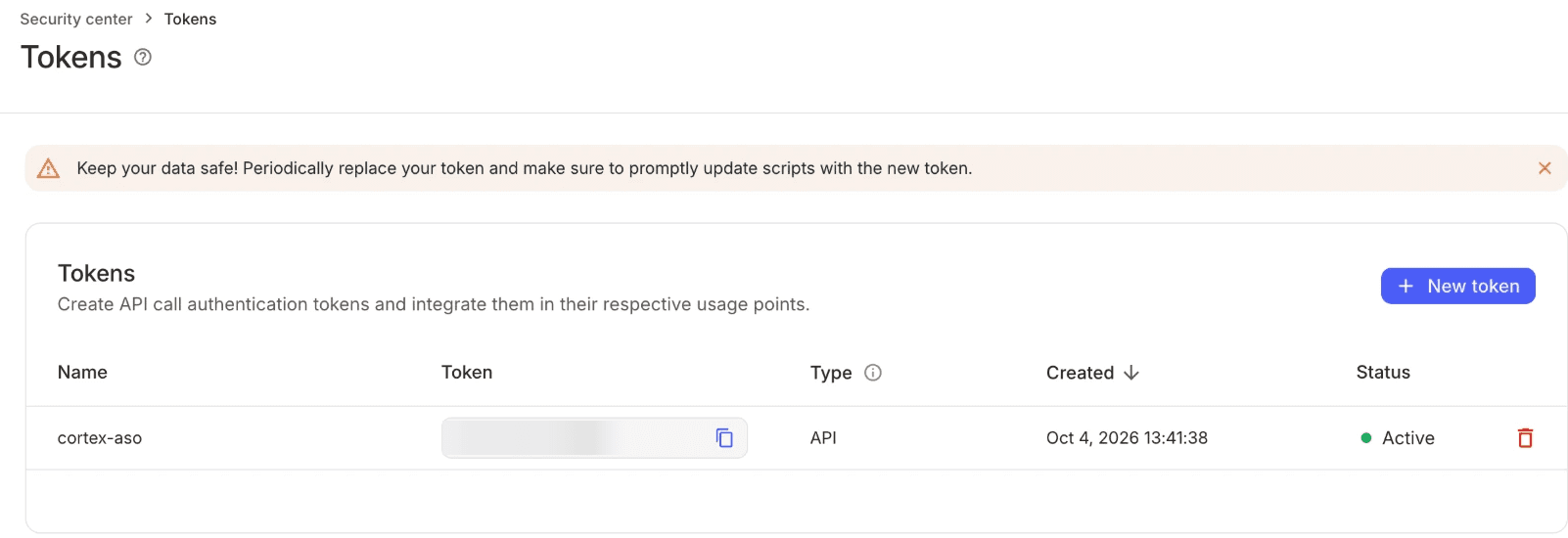
Sign in to AppsFlyer as an account admin and open Security center → Tokens (direct link). Select New token.
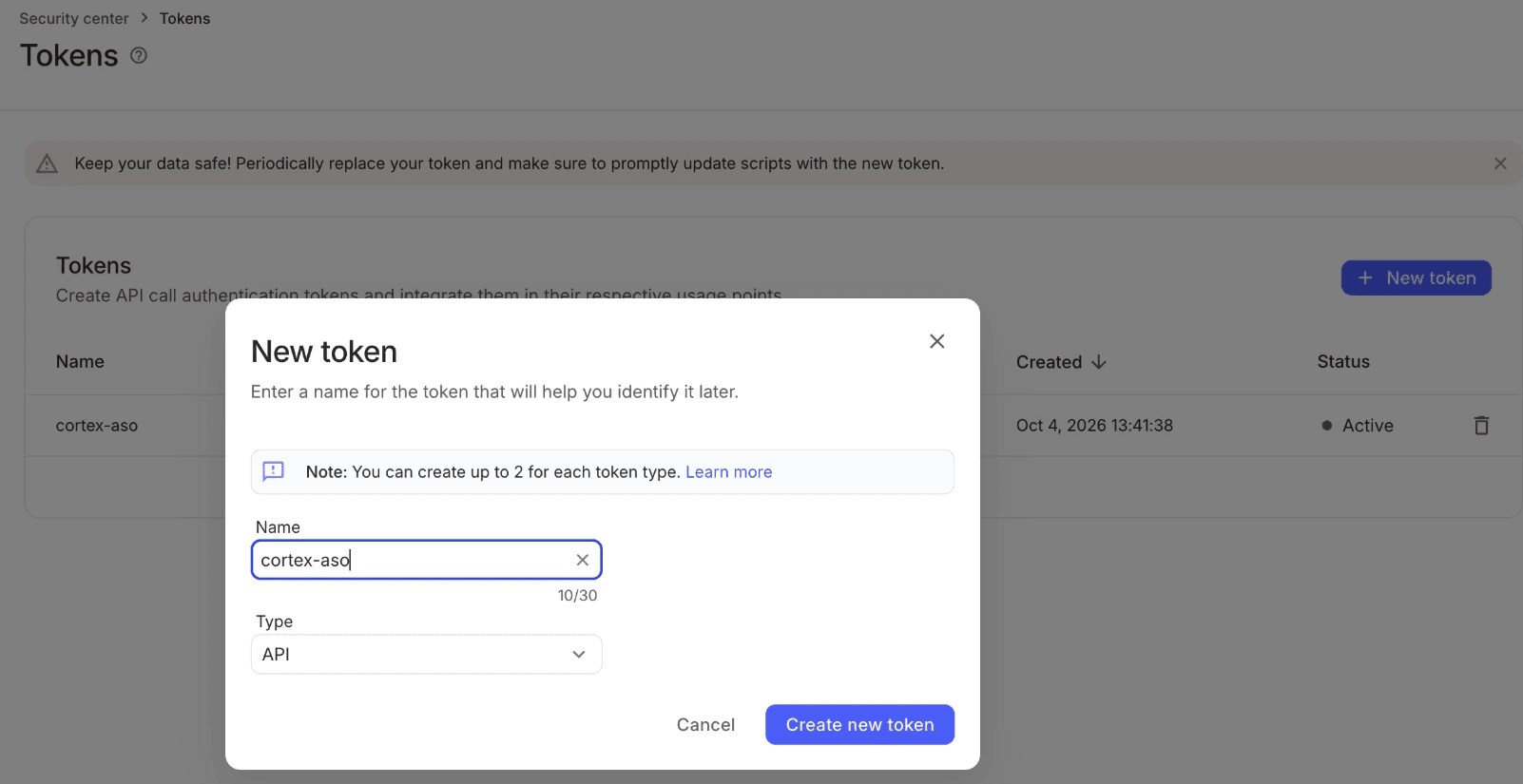
Enter a Name such as cortex, set Type to API, select Create new token and copy the token. AppsFlyer allows two tokens per type, so delete an old API token first if you already have two.
Name the account and connect
Select Continue. Enter a Name (for example Main account) and paste the API token. Select Connect. Cortex lists your apps with AppsFlyer first and saves nothing if that fails. On success you see AppsFlyer connected.
The token is stored encrypted. Cortex matches each project to an AppsFlyer app by its store ID or package name.
What Cortex reads
Cortex reads AppsFlyer's geo-by-date report. Each row has:
| Field | Meaning |
|---|---|
| Date | UTC day |
| Country | Country of the installs |
| Media source | Where installs came from; Organic is treated as unpaid |
| Campaign | Campaign ID, or the campaign name when no ID is given |
| Installs | Install count |
| Cost | Ad cost, or null when AppsFlyer returns none |
| Revenue | Attributed revenue |
Paid installs and paid revenue (every media source except Organic) feed attributed ROAS and cost per install.
How data syncs
- Cortex syncs once a day at 05:40 UTC, covering at least the last 30 days and ending yesterday (UTC). Re-runs overwrite the same days.
- Requests are split into windows of at most 31 days, one app at a time.
- AppsFlyer data lags 24 to 48 hours, so recent days can be incomplete.
- If AppsFlyer rejects the token, the account becomes Reconnect needed and syncing stops. If the quota is exhausted, the app is marked partial.
- If an app is not in the AppsFlyer account, Cortex does not request it. Reads return the reason
app_not_found, andcortex_integrations_statusreportsappsflyer_app_not_in_account.
Read the data
Ask your AI assistant or an MCP client:
Which media sources brought the most paid installs last month?
Show AppsFlyer installs for Germany this week.
Both use cortex_appsflyer_performance with projectId, from, to and optional mediaSource and country.
Fix a broken connection
Open the account's actions menu in Settings → Integrations:
- Test connection re-checks the token.
- Remove stops syncing. You can link it again later.